

Documentation Index
Fetch the complete documentation index at: https://docs.peec.ai/llms.txt
Use this file to discover all available pages before exploring further.
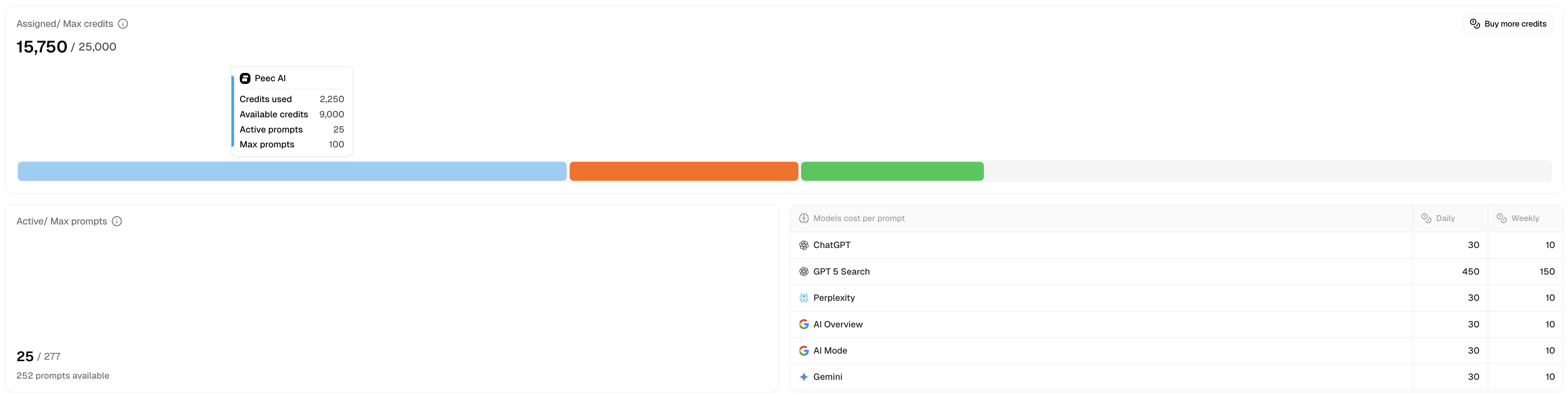
Credits determine how many prompts and AI models you can track across your client projects. You can change the number of prompts and the models you want to track them on, but not credits. Instead, they are automatically assigned to the project based on the other two variables.
Our credit calculation formula:1 prompt x 1 model x 1 day = 1 credit1 prompt x 1 model x 1 month (30 days) = 30 creditsFor our larger plans, such as Scale and Comprehensive, you can switch to weekly tracking for 1/3 of the credit use.
Managing your credits
Usage overview
You can see how many credits are available and how many are currently assigned to active customer projects in the Projects tab under Usage. Usage tells you:- The total number of already assigned credits
- The total number of available credits for your subscription plan
- Colored breakdown of projects by the number of credits assigned to each
Project table
The project table gives you a quick overview of the current status of all the projects on your account, split between Customer and Pitch. This is where you can manage the number of prompts and models each project should track. You can also delete a customer or a pitch project if it’s no longer needed.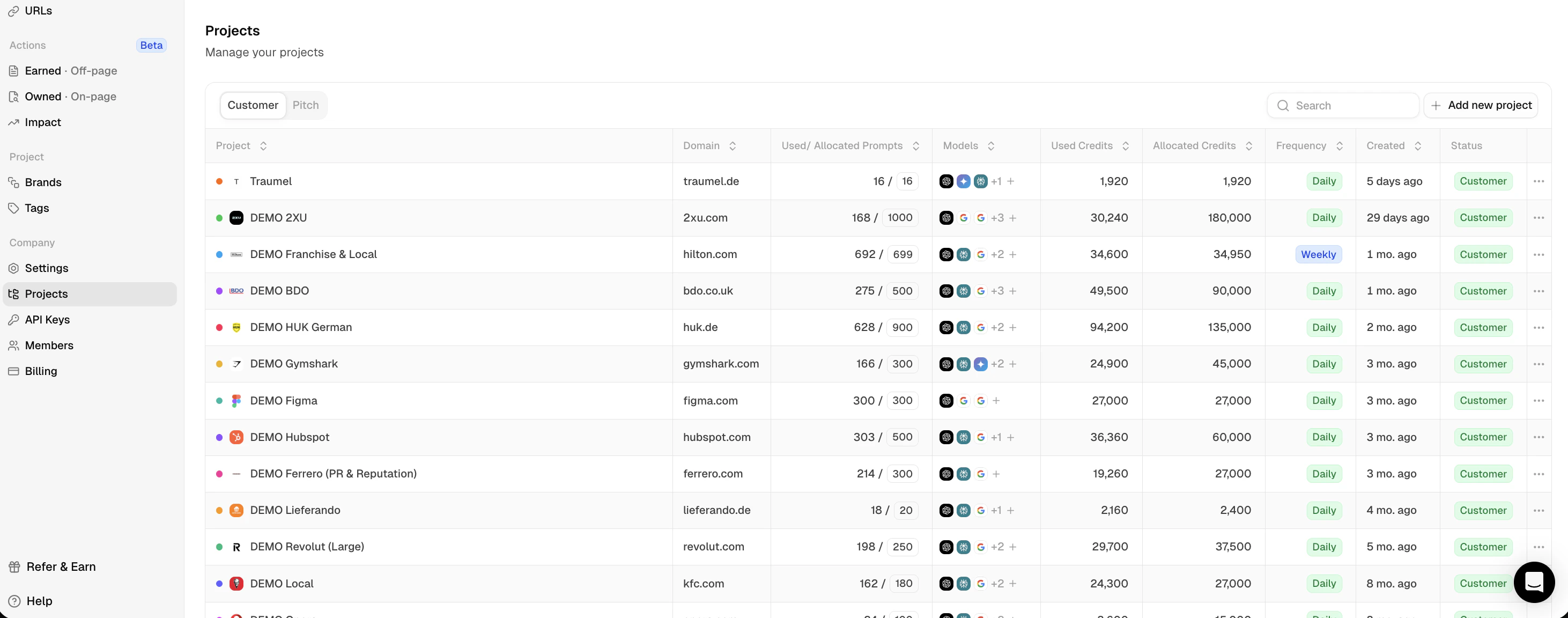
- The name of your project (this is the name used internally to identify the project you are working on)
- The domain being used for the project
- Used and Allocated prompts for each project
- All the models that are currently being tracked
- Used and Allocated credits based on the prompts and models being tracked per project
- The frequency at which the project runs (Daily means we run the prompts every 24 hours). For Scale and Comprehensive plans, this can be adjusted to Weekly)
- The date when the project was created
- The status of the project (Customer, Pitch, Pitch Ended)
- Setting options to update your brand details, changing tracking, or deleting the project
This view also applies to the Pitch project under the Pitch tab.